

Short Answer
Usehttps://api2.laozhang.ai/api/user/self to query your LaoZhang API account balance. Generate a system AccessToken in account settings, pass it in the Authorization header, and add --compressed when using cURL so gzip responses are decoded correctly.
Read the full Balance Query API docs
For production monitoring, complete response fields, error handling, and code examples, use the developer API reference.
Get System Token (AccessToken)
Before calling the balance query API, you need to obtain a system token (AccessToken).1
Go to Account Settings
After logging in, visit the Account Settings page and click on “System Token”.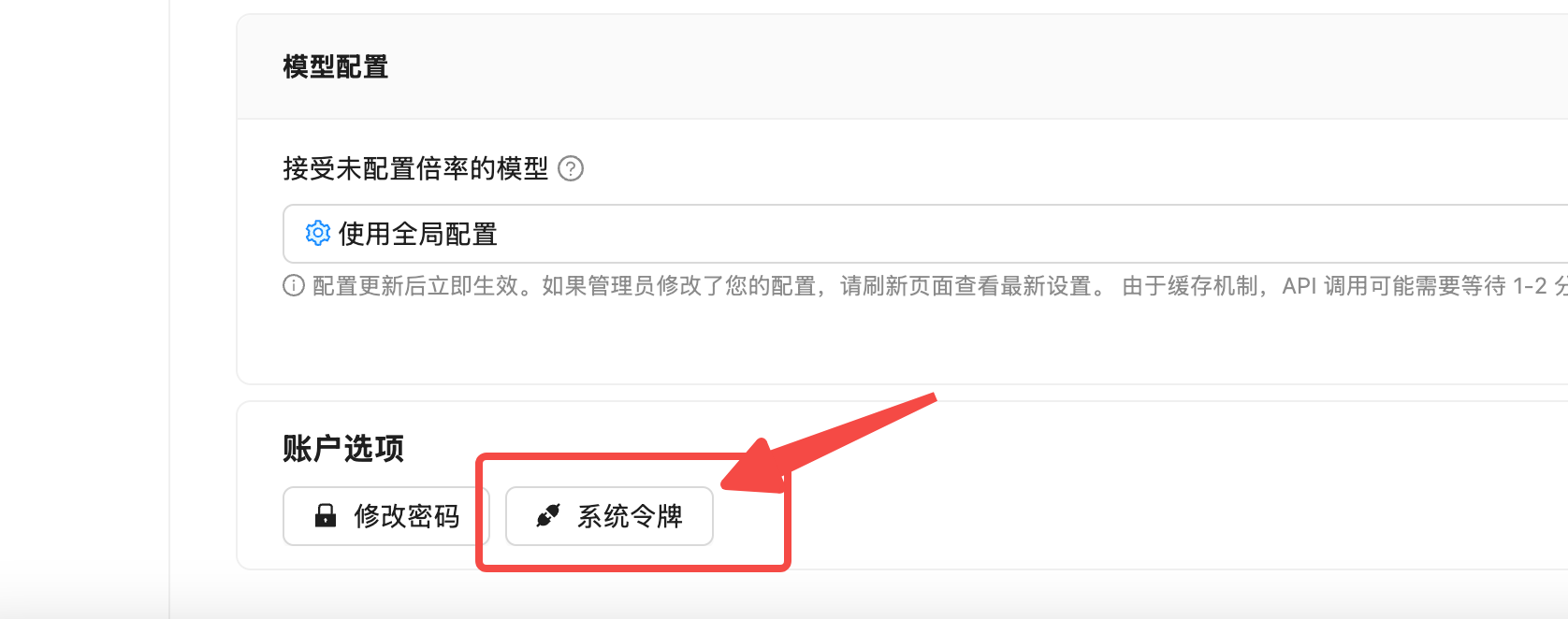
2
Verify Account Password
Enter your account password in the popup dialog for identity verification.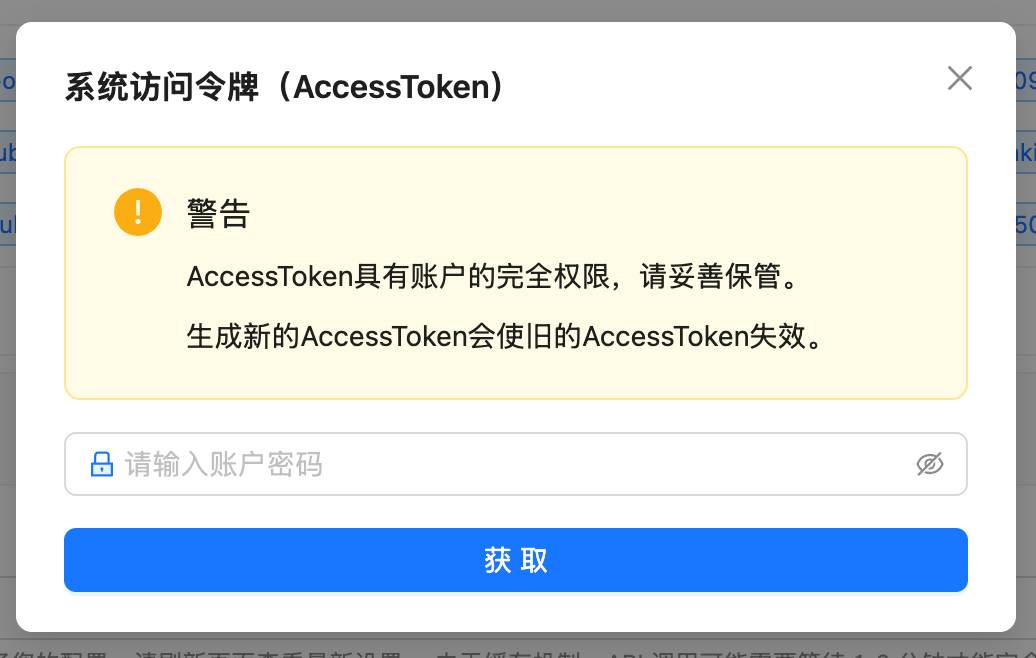
3
Get AccessToken
After successful verification, the system will display your AccessToken. Copy and save it immediately.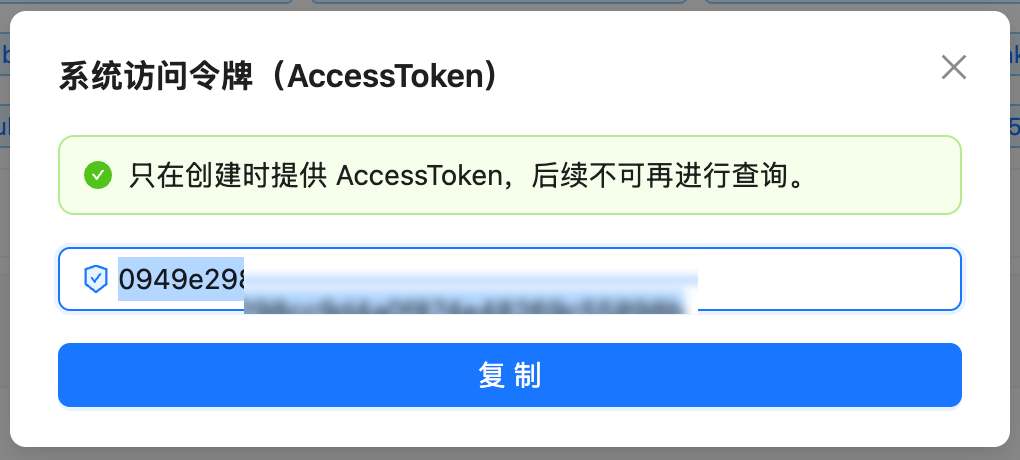
API Reference
Endpoint Information
Request Headers
Response Fields
Successful response example:Quota And Amount Display
Code Examples
- cURL
- cURL Quick Test
- Python
Basic Request (must add
--compressed option):Error Handling
HTTP 401 - Authentication Failed
HTTP 403 - Permission Denied
FAQ
What does the quota field represent?
What does the quota field represent?
The
quota field represents your current remaining balance (available quota). If quota is 0 or near 0, your account balance is insufficient and needs to be updated.How should I display the remaining amount?
How should I display the remaining amount?
Use
500K quota as approximately 1 USD for balance display. The formula is: remaining USD balance = quota ÷ 500K; used USD amount = used_quota ÷ 500K.For example, quota: 24997909 means 24997909 ÷ 500K = 49.995818, approximately 50.00 USD. For production alerts, store both the raw quota value and the converted USD amount; actual model charges still follow the console pricing page, usage logs, and current account rules.curl command returns garbled output?
curl command returns garbled output?
Cause: API returns gzip compressed content, curl doesn’t auto-decompress.Solution: Add
--compressed option:jq reports Invalid numeric literal error?
jq reports Invalid numeric literal error?
This usually happens because curl didn’t decompress the gzip content. Add
--compressed option to fix it.What is the ModelFixedPrice field for?
What is the ModelFixedPrice field for?
This field returns pricing information for various AI models. If you only care about balance info, you can ignore this field.
How to implement balance alerts?
How to implement balance alerts?
You can write a scheduled script to periodically query the balance, and send alert notifications (email, Slack, etc.) when
quota falls below a threshold.Related Questions
- For the full endpoint reference and integration examples, see Balance Query API
- If requests fail even with remaining quota, see Insufficient Balance
- To inspect per-request model, token, and billing records, see Usage Logs
- To create or rotate an API key, see API Key Management
Notes
Security
- Use environment variables for Token
- Don’t commit to public repos
- Rotate Token regularly
Rate Limits
- Set reasonable timeout (10s recommended)
- Avoid too frequent queries
- Recommended interval ≥ 1 minute
Error Handling
- Handle network errors and timeouts
- Handle authentication failures
- Log errors for troubleshooting
Response Format
- API returns gzip compressed content
- curl must add
--compressed - requests library handles automatically